

Luminati.io
As 90% of you have dyslexia / issues reading I made this guide to make it easier for you to use proxies
Simple guide on how to use lumi proxies for every other program (it really is not hard and you do not need to use user ass
ass
ass[hide]
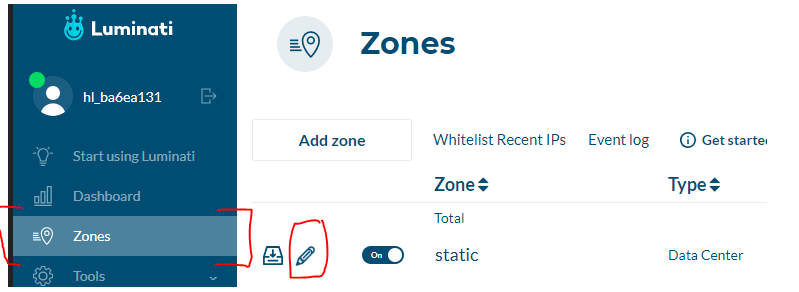
1- Navigate to zones tab and then press the edit icon on the zone/pool of proxies you wanna use / enable
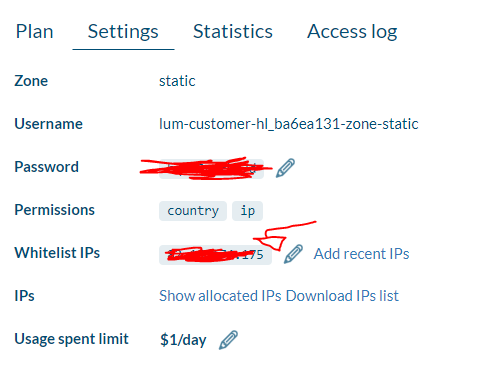
2- In the edit tab add your IP (https://www.whatismyip.com)
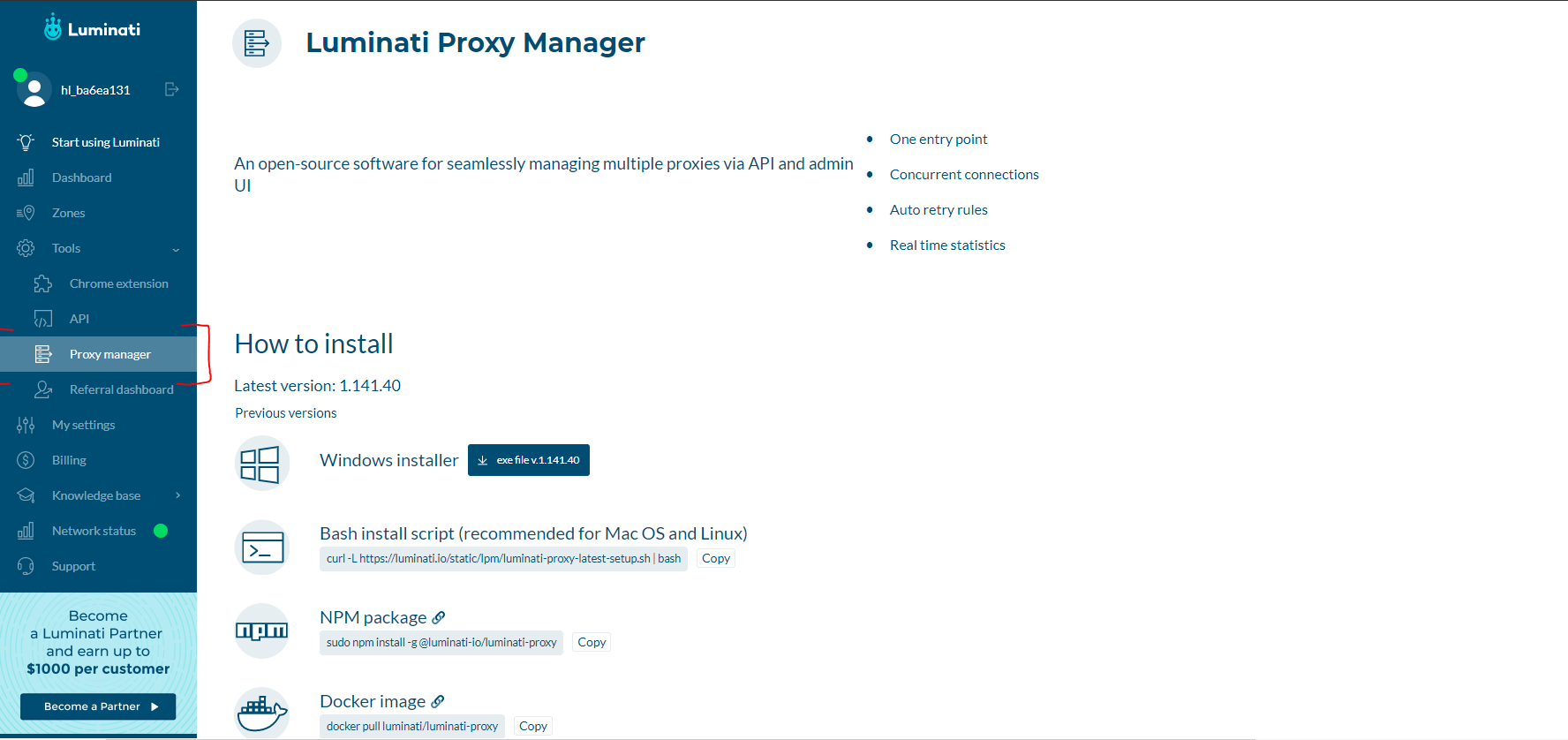
3- Navigate to the tab shown here (proxy manager) and install the client
4-
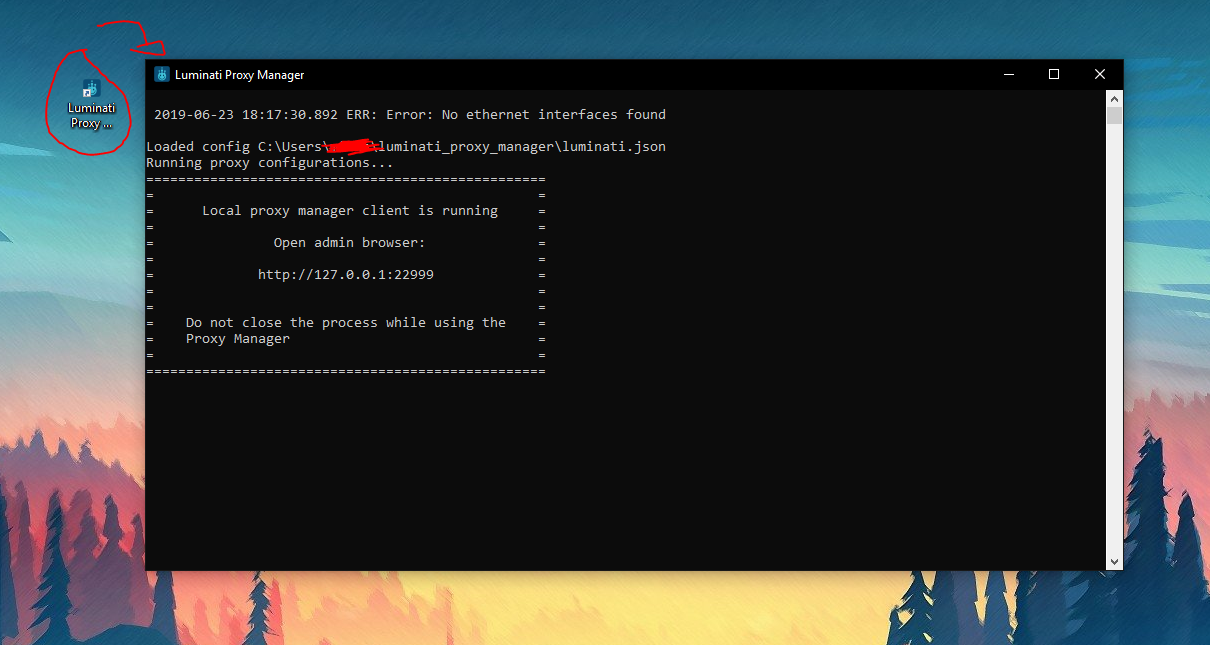
 Now open the exe you installed / the manager and wait for the proxy client to setup (this will open a browser tab)
5- Now create a .txt and the following IP
127.0.0.1:24000 <-- this is the ip and port needed

6- Now load the .txt into a program such as open bullet (as HTTP) and they should work I know its magic it took 3 mins to do and a total of 10 brain cells
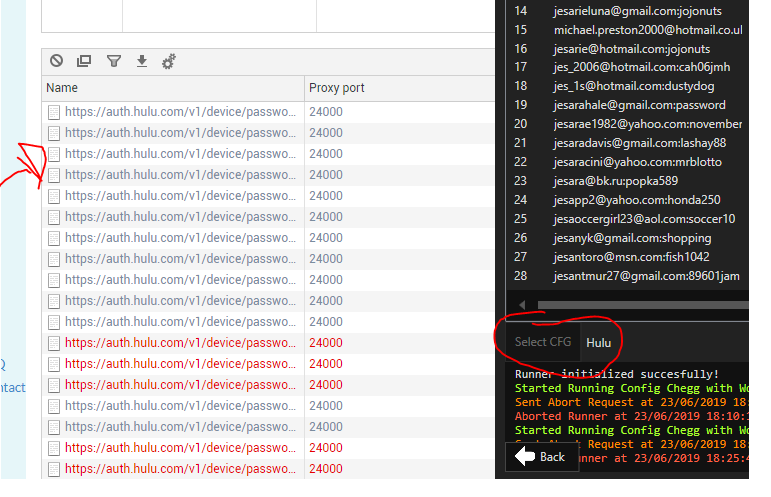
as you can see at the main page of the proxy client it shows where the requests are and as you can see my config is hulu so its going there
KEEP THE PROXY EXE CLIENT AND BROWSER OPEN

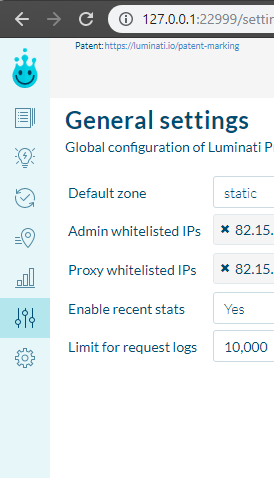
if you still have issues make sure on the browser/local port that opens 127.0.0.1 you auth IP in the settings tab like below add your ip to both
[/hide]
